Sales Intelligence Automation: The Complete B2B Guide to AI-Driven Selling (2026)
May 26, 2026·6 min read
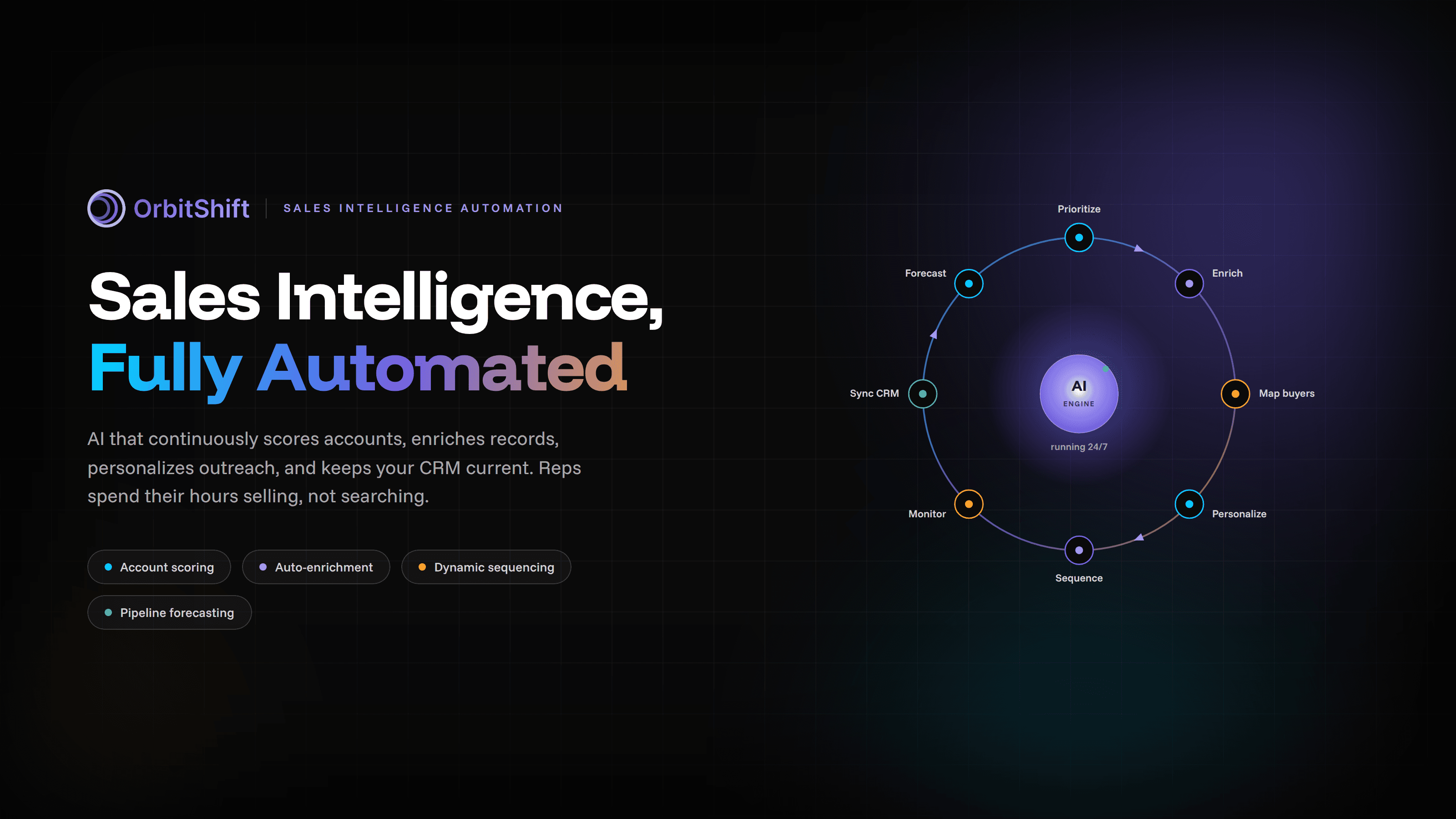
What is sales intelligence automation?
Sales intelligence automation is the use of AI and machine learning to continuously collect, process, and act on buyer data - without manual effort. It enables B2B revenue teams to automatically identify high-intent accounts, score leads, personalize outreach, and trigger timely engagement based on real-time signals like funding events, hiring changes, and intent data.
Top 8 Sales Intelligence Automation Use Cases
To understand the true ROI of upgrading your tech stack, let's look at how modern revenue teams are applying AI across the sales cycle.
Use Case 1: Automated Account Prioritization
- What it does: AI scores all accounts daily based on firmographic fit, intent signals, and buying stage.
- Manual alternative: Reps manually reviewing CRM data and news feeds (2–3 hours/day).
- OrbitShift example: accountOS surfaces top-priority accounts with urgency scores each morning.
- Result: Reps only work accounts most likely to convert.
Use Case 2: Lead Enrichment
- What it does: Automatically appends missing contact information, social profiles, and technographic data to inbound and outbound records in real-time.
- Manual alternative: Reps scouring LinkedIn, company websites, and disparate databases to fill in the blanks (1–2 hours/day).
- OrbitShift example: OrbitShift instantly enriches new CRM records with verified emails, direct dials, and the latest company news.
- Result: Reps immediately understand the prospect's context without doing any administrative data entry.
Use Case 3: Stakeholder Mapping
- What it does: Maps out the entire buying committee within an organization by analyzing titles, departments, and reporting structures.
- Manual alternative: Manually building org charts in spreadsheets based on tedious LinkedIn searches.
- OrbitShift example: OrbitShift visually builds out the buying committee, instantly flagging the economic buyer and key influencers.
- Result: Multi-threading becomes seamless, significantly increasing win rates in complex enterprise deals.
Use Case 4: Outreach Personalization
- What it does: Generates highly tailored email and message copy utilizing recent company news, personal achievements, and specific pain points.
- Manual alternative: Spending 15–20 minutes researching and writing a single custom email from scratch.
- OrbitShift example: OrbitShift generates hyper-personalized first drafts based on the prospect's real-time digital footprint.
- Result: Dramatically higher open and reply rates achieved in a fraction of the writing time.
Use Case 5: Follow-up Sequencing
- What it does: Adjusts follow-up timing and messaging dynamically based on prospect engagement (or lack thereof) and shifting intent signals.
- Manual alternative: Setting static, time-based cadences that completely ignore the buyer's actual context and behavior.
- OrbitShift example: OrbitShift pauses or accelerates sequences if a prospect suddenly downloads a whitepaper or attends a webinar.
- Result: Prospects receive the right message at the exact right moment, preventing your outreach from feeling like generic spam.
Use Case 6: Competitive Monitoring
- What it does: Tracks competitors' activities, pricing changes, and customer dissatisfaction signals across the web.
- Manual alternative: Periodically Googling competitors or checking review sites manually to see what buyers are saying.
- OrbitShift example: OrbitShift alerts reps when a target account mentions a competitor on social media or in job postings.
- Result: Reps can proactively address competitive threats and strike when competitors stumble.
Use Case 7: CRM Auto-Update
- What it does: Automatically logs emails, calls, and meetings while updating account statuses and custom fields based on conversational intelligence.
- Manual alternative: Reps spending their Friday afternoons doing administrative data entry just to keep managers happy (4+ hours/week).
- OrbitShift example: OrbitShift syncs all engagement data bi-directionally, keeping your CRM flawlessly updated in the background.
- Result: RevOps gets perfectly clean data, and reps reclaim hours of active selling time.
Use Case 8: Pipeline Forecasting
- What it does: Analyzes historical win rates, current engagement levels, and deal velocity to predict revenue outcomes accurately.
- Manual alternative: Sales managers relying on gut feeling, happy ears, and self-reported rep confidence.
- OrbitShift example: OrbitShift assigns AI-driven probability scores to every opportunity, flagging deals at risk of slipping.
- Result: Highly accurate revenue predictions and proactive intervention on at-risk deals.
Sales Automation Pitfalls
While the benefits are massive, implementing AI in your sales process requires strategic oversight. Strategic revenue leaders must actively navigate these five critical pitfalls:
Pitfall 1: Model Drift
- What goes wrong in practice: AI models are trained on old data that no longer reflects current buyer behavior or shifting macroeconomic conditions.
- The consequence for revenue teams: The system starts prioritizing the wrong accounts, leading to wasted effort and missed revenue targets.
- How to avoid it: Schedule regular model retraining sessions. Ensure your RevOps team conducts quarterly data audits to feed the AI fresh, relevant outcomes.
Pitfall 2: Overfitting
- What goes wrong in practice: Models that perform exceptionally well on historical data fail completely when applied to new accounts or slightly different market segments.
- The consequence for revenue teams: Growth stalls because the automation cannot adapt to net-new territories or product lines.
- How to avoid it: Introduce a degree of controlled randomness in your outreach testing. Don't restrict the AI so tightly to past wins that it ignores emerging patterns in new markets.
Pitfall 3: Amplifying Poor Data Quality
- What goes wrong in practice: Teams plug advanced automation tools directly into a CRM filled with duplicates, outdated contacts, and missing firmographics.
- The consequence for revenue teams: Automation sends the wrong message to the wrong person at scale, burning through your Total Addressable Market (TAM).
- How to avoid it: Treat data hygiene as a prerequisite to automation. Use a data enrichment tool to standardize and clean your CRM before activating outbound sequences.
Pitfall 4: The "Uncanny Valley" of Personalization
- What goes wrong in practice: AI generates outreach that pulls in irrelevant or overly personal data points (like a prospect's Facebook posts) that feel creepy rather than helpful.
- The consequence for revenue teams: Prospects feel alienated and immediately block the sender, damaging your brand's reputation.
- How to avoid it: Keep personalization focused strictly on professional triggers like company news, hiring trends, and industry pain points. Always maintain a "human-in-the-loop" review process for tier-1 accounts before hitting send.
Pitfall 5: Set-and-Forget Mentality
- What goes wrong in practice: Teams implement the automation and assume it will run flawlessly forever without adjustment, ignoring shifting intent signals.
- The consequence for revenue teams: Engagement rates slowly plummet as messaging goes stale and buyers develop blind spots to your cadences.
- How to avoid it: Schedule monthly reviews with RevOps and sales leadership to analyze AI performance. Treat your automation engine as a living system that needs continuous fine-tuning and fresh inputs.
How to Implement Sales Intelligence Automation in 90 Days
Transforming your sales engine doesn't happen overnight, but a structured quarterly rollout ensures high adoption and clear revenue impact.
1.Foundation & Alignment: Days 1–30
Focus heavily on data health and configuration. Run a thorough deduplication and cleansing process on your CRM, because automation ruthlessly amplifies bad data. Clearly map out your Ideal Customer Profile (ICP) and the specific real-time triggers that matter to your pipeline. Finally, execute the initial integration by connecting OrbitShift to your CRM, email client, and marketing tech stack.
2.Pilot & Account Scoring:Days 31–60
Activate AI-driven account prioritization to let the system start surfacing high-intent target accounts each morning. Concurrently, launch a pilot with a small group of your top-performing reps to test automated outreach personalization and stakeholder mapping. Hold weekly syncs with this core team to refine messaging prompts and adjust scoring thresholds based on live pipeline feedback.
3.Scale & Optimize:Days 61–90.
Roll out the platform floor-wide, leveraging your pilot reps as internal champions to run peer-led training. Turn on your advanced workflows, including dynamic follow-up sequencing and background CRM auto-updating features. Establish a monthly review cadence with RevOps to analyze core metrics like pipeline velocity and reply rates, ensuring the underlying AI models stay aligned with shifting buyer behavior.
Best Sales Intelligence Automation Tools for 2026
Choosing the right platform is critical. Here is a look at how the top contenders stack up across the enterprise landscape:
Platform Best For Key Features
OrbitShift
End-to-end B2B revenue intelligence & automation , accountOS prioritization, real-time intent triggers, hyper-personalized drafting, seamless bi-directional CRM sync.
6sense
Enterprise account-based marketing (ABM). Predictive analytics, dark funnel tracking, display ad targeting, robust marketing integrations.
ZoomInfo (Copilot)
Raw data volume & contact discovery. Massive B2B contact database, organizational charts, basic intent signals, dialer capabilities.
Apollo.io
SMBs and high-volume outbound sequencing. Integrated sequencing, built-in email warm-up, lead routing, accessible pricing tiers.
Cognism
European/Global compliance & direct dials. Unmatched mobile number accuracy, strict GDPR compliance, localized European intent data.